Smart TVs & Consoles: How to Use VPNs Beyond Your Laptop
Turn your living room into a borderless entertainment hub. Learn how to set up a VPN on smart TVs and gaming consoles like PlayStation and Xbox to unlock global content, enjoy smooth streaming, and stay secure while you play
Why You Should Prefer Surfshark for Streaming & Gaming Devices
Unlimited Device Connections
Protect all your devices — laptop, smart TV, PlayStation, Xbox, and mobile — with one subscription
1
Optimized Servers for Streaming
Enjoy smooth 4K streaming on smart TVs and consoles without buffering
2
Seamless Setup with Smart DNS
Quickly unblock apps on TVs and consoles that don’t support VPN apps
3
Security Beyond PCs
Stay safe from DDoS attacks, ISP tracking, and keep your streaming private.
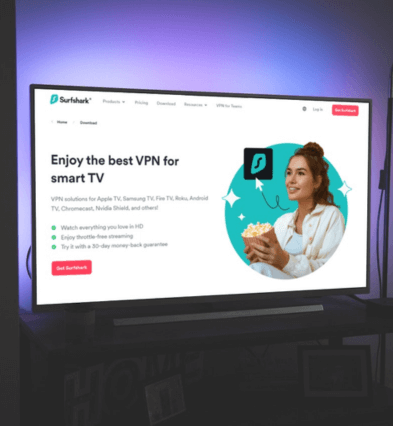
If you own an Android-based smart TV (like Sony Bravia or Philips), installing Surfshark is as simple as downloading the app from the Play Store. Once installed, log in and select a server location — for example, a UK server to watch BBC iPlayer or a US server to unlock Hulu. This setup lets you enjoy buffer-free streaming with enhanced privacy, making Surfshark the best choice for a VPN for smart TV users.
Set Up Smart DNS for Non-Android TVs
Not every TV supports VPN apps, especially Samsung and LG models. That’s where Surfshark’s Smart DNS comes in handy. By entering Surfshark’s DNS settings into your TV, you can bypass regional restrictions and unlock shows and movies exclusive to certain countries. While Smart DNS doesn’t encrypt traffic like a VPN, it provides a fast and simple solution for those who primarily want streaming VPN setup without complicated configurations.
PlayStation consoles don’t allow direct VPN installations, but Surfshark offers workarounds. You can either set up the VPN on your router or use Smart DNS to connect. With this setup, you can access geo-restricted streaming apps like Netflix, Disney+, and Amazon Prime Video directly from your console. For online gaming, a VPN on PlayStation helps reduce the risk of DDoS attacks, hides your IP, and may even improve ping consistency by routing through optimized servers.
Use a VPN for Xbox
Like PlayStation, Xbox doesn’t support native VPN apps, but Surfshark makes it easy to connect. Through router configuration or Smart DNS, you can stream content libraries from across the world — from US-exclusive sports apps to UK-specific streaming services. A VPN for Xbox also helps gamers stay safe from bandwidth throttling and cyber threats while giving access to early game releases or region-locked multiplayer servers.
Set Up VPN on Your Router for Whole-Home Protection
If you want a single setup that covers every device in your household, installing Surfshark on your router is the best option. Once configured, every connected device — whether it’s a smart TV, PlayStation, Xbox, or even your smart fridge — gets instant VPN protection without the need for individual logins. This ensures unlimited device coverage, borderless streaming, and secure gaming, all from one central configuration.